
Stop Losing Sales: Revenue Focused Ecommerce SEO Audit for Australia
Stop Losing Sales: Revenue Focused Ecommerce SEO Audit for Australia

An ecommerce SEO audit finds the crawl errors, broken product pages, and content gaps stopping search engines from ranking your store, then ranks the fixes by revenue impact. Done properly, it covers technical health, on-page product data, content quality, page experience, and analytics tracking. The output isn’t a report you file away. It’s a prioritised list of what to fix first because it’s costing you sales right now.
TL;DR:
- Crawlability issues such as misconfigured robots.txt or noindex tags often quietly eliminate ranking opportunities for ecommerce sites.
- Technical problems like broken links, duplicate URLs, or improper canonical tags can significantly hinder search engine indexing and visibility.
- Most silent traffic losses stem from slow-loading pages, unoptimized images, and slow server responses affecting Core Web Vitals metrics.
- Content gaps, duplicate descriptions, and generic metadata on product pages reduce both rankings and conversions, especially if structured data is missing or inaccurate.
- Regular audits tailored to site complexity and platform size are essential for ongoing performance, with higher-frequency checks recommended after platform changes or traffic drops.
Table of Contents
- What does an ecommerce SEO audit cover?
- How often should you audit, and should you DIY it?
- Technical SEO checklist for ecommerce stores
- On-page and product page audit essentials
- Content and keyword strategy for category and product pages
- Core Web Vitals and page experience quick wins
- Indexing, structured data and merchant listing checks
- Analytics, Search Console and post-audit monitoring
- Prioritising fixes and what an audit costs in Australia
- Avesta Agency’s approach to ecommerce SEO audits
- When an audit should jump the queue
- Get an ecommerce SEO audit from Avesta Agency
- Sources
- FAQ
What does an ecommerce SEO audit cover?
A proper audit works across five layers: technical crawlability, product and category page quality, content and keyword alignment, user experience, and the analytics setup that tells you whether any of it worked. Miss one layer and you’re diagnosing symptoms without finding the cause. A site can have flawless product descriptions and still lose traffic because a robots.txt update accidentally blocked the entire catalogue.
Timing matters as much as scope. Run an audit:
- Before and after a platform migration (Shopify to Magento, or any major replatform)
- When organic traffic drops without an obvious cause
- Ahead of peak trading periods, so fixes land before the traffic spike
- On a quarterly or annual cadence for ongoing maintenance
A professional audit should hand you three things: a prioritised fix list ranked by effort and impact; a technical health report covering crawl and index status; and a content or product page gap analysis showing where competitors are winning terms you’re not.
How often should you audit, and should you DIY it?
Cadence depends on complexity. A 200 SKU store on Shopify might get away with a light quarterly check. A 10,000 SKU marketplace with faceted navigation needs monthly monitoring and an immediate audit after any structural change.
DIY works when you have someone comfortable in Search Console and a crawler tool, and the site is small enough that manual checks don’t take a week. Hire an agency when the catalogue is large, the platform is complex, or you simply don’t have the internal hours to spare.
Paid audits typically include:
- A full technical crawl with prioritised issues
- Product schema and metadata review
- Core Web Vitals reporting on revenue pages
- A written roadmap with owners and timeframes
Technical SEO checklist for ecommerce stores
This is where most silent traffic losses happen, and it’s the part of an seo audit checklist that catches problems before they cost you a season of sales. Crawling and indexation issues take priority over everything else, because a page search engines can’t reach doesn’t benefit from any other fix you make. Google’s own crawler and indexing guidance points to exactly this: an accidental noindex tag pushed during a deployment, or a robots.txt rule left over from staging, can quietly wipe out rankings for weeks before anyone notices.
Work through these in order:
- Check robots.txt and noindex tags. Staging environments frequently get pushed to production with a blanket
Disallow: /still in place. Check the live file directly in a browser, not just in your CMS settings. - Audit XML sitemaps. Large catalogues (10,000+ products) should split sitemaps by category or content type, keep
lastmoddates accurate, and submit each one through Search Console. - Review HTTP response codes. Hunt for 404s on discontinued products, redirect chains longer than one hop, and canonical tags pointing to the wrong URL variant.
- Handle URL parameters and faceted navigation. Filter and sort parameters (
?colour=blue&sort=price) can generate thousands of near-duplicate URLs. Set canonical tags back to the clean category URL and check Search Console’s parameter handling reports for crawl waste. - Fix pagination and crawl depth. Category pages buried more than four clicks from the homepage often go unindexed. Flatten the architecture where you can, and check for orphaned product pages with no internal links pointing to them at all.
- Run diagnostics. Use the URL Inspection tool in Search Console for individual page checks, crawl the full site with a tool like Screaming Frog, and if you have server access, check raw log files to see what Googlebot is actually requesting versus what you think it’s crawling.
Pro Tip: Cross-reference your XML sitemap against your server logs. If a product URL is in the sitemap but never appears in the log file, Google isn’t finding it through your internal links, and the sitemap alone won’t rescue it.
Redirect chains deserve extra attention on ecommerce sites specifically, because discontinued products get redirected constantly. A product that redirects to a category page, which then redirects to a parent category after a site restructure, burns crawl budget and dilutes any authority the original URL had.
On-page and product page audit essentials
Metadata is the fastest win most stores skip. Every product and category page needs a unique title tag and meta description, ideally under 60 characters for titles and around 155 for descriptions, built around the actual search term a buyer would type rather than an internal SKU name.
Product descriptions are where template laziness shows. A manufacturer’s boilerplate copy pasted across 500 near-identical listings reads as duplicate content to search engines, even when the products themselves differ slightly. Rewrite the top-selling lines first, and where it fits the category, let genuine customer reviews add unique text search engines haven’t seen a thousand times before.
Key checks:
- Compressed images in WebP or AVIF format, with descriptive (not generic “IMG_4521”) alt text
- Product schema markup covering price, availability, and review rating properties
- Canonical tags on colour and size variants pointing to one primary product URL
- Category pages with genuine descriptive copy, not just a product grid
Google’s Product structured data guidance is explicit that pages need this markup, plus genuine indexability, to become eligible for rich results showing price, availability, and star ratings directly in search.
Statistic Callout: Merchant listing eligibility has widened considerably. You no longer need a Merchant Center feed to appear in enhanced shopping results. Accurate Product schema on the page itself, per Google’s merchant listings update, is now often enough on its own.
Content and keyword strategy for category and product pages
Every category page should map to one clear buyer intent, not a scattershot of loosely related terms. A “men’s running shoes” category page and a “trail running shoes” page need genuinely different copy, different internal links, and different target phrases, not the same 200 words with a swapped heading.
Run these checks:
- Map keywords to pages. One primary term per URL. Overlapping terms across two category pages means you’re competing with yourself.
- Find thin and duplicate content. Any page under 100 words of unique copy, or template text repeated across dozens of listings, gets flagged for a rewrite.
- Build category hubs. A buying guide linking out to five subcategories gives search engines context and gives shoppers a cross-sell path they wouldn’t find through the main nav.
- Prioritise by revenue, not traffic alone. A page with modest visits but a high conversion rate deserves attention before a high-traffic page that never converts.
The stores that win category page rankings usually aren’t the ones with the most content. They’re the ones whose content actually answers the question the searcher had before they typed it into Google.
Core Web Vitals and page experience quick wins
Google monitors three Core Web Vitals: Largest Contentful Paint (LCP), Interaction to Next Paint (INP), and Cumulative Layout Shift (CLS). INP now replaced First Input Delay as the responsiveness metric, and the target is under 200 milliseconds. CLS should sit below 0.1.
Pull real-user data from the Core Web Vitals report in Search Console, cross-check with the CrUX dataset, and run Lighthouse for lab-based diagnosis on specific pages.
On ecommerce sites, the usual culprits are:
- Unoptimised product images loading at full resolution
- Third-party scripts (chat widgets, review plugins, ad pixels) blocking the main thread
- Slow server response times on dynamically generated category pages with filters
Pro Tip: Fix Core Web Vitals on your top 20 revenue pages first, not the whole site. A perfect score on a rarely visited blog post does nothing for your bottom line, and page experience is one ranking signal among many, not a guarantee of a rankings jump on its own.
Indexing, structured data and merchant listing checks
Product schema and basic indexability work together. A page with flawless Product markup but a login wall in front of it, or images blocked by robots.txt, won’t be eligible for anything.
Check these:
- Required Product schema properties: name, image, price, availability, and review rating where genuine reviews exist
- No login wall, paywall, or JavaScript rendering delay hiding price or stock status from crawlers
- Validate markup with the Rich Results Test before assuming it’s live
- Cross-check the Merchant listings and Product snippets reports in Search Console, which now sit separately under the Shopping section
Price and availability accuracy matters more here than almost anywhere else in the audit. A shopping result showing a price that’s since changed damages trust and can get listings suppressed.
Analytics, Search Console and post-audit monitoring
An audit without ongoing measurement just repeats the same findings next quarter. Confirm Search Console and GA4 are both verified and that ecommerce events (add to cart, purchase, checkout steps) are firing correctly, not just pageviews.
Watch for:
- Index coverage errors and a growing “excluded” pages count, which often signals a technical regression
- Merchant listing or product snippet errors flagged in Search Console’s Shopping section
- KPIs that actually matter: percentage of product pages indexed, Core Web Vitals health on your top revenue pages, and organic conversion rate, not just organic sessions
Prioritising fixes and what an audit costs in Australia
Rank every finding on an impact versus effort grid. A canonical tag error on your 50 best-selling products is high impact, low effort, and gets fixed this week. A full site architecture rebuild is high impact but high effort, and belongs on a quarterly roadmap instead.

Statistic Callout: Australian pricing data puts one-off ecommerce audits at roughly AUD 1,500 to AUD 10,000 depending on catalogue size and technical complexity. SMB retainers commonly run AUD 1,500 to AUD 3,000 a month, while enterprise ecommerce programs exceed AUD 10,000 monthly.
A one-off audit makes sense as a starting point if you haven’t had a technical review in over a year. Move to a retainer once fixes are implemented and you need ongoing monitoring against regressions. A quality deliverable names an owner for each fix, estimates effort, and states expected impact, not just a list of problems with no path forward.
Avesta Agency’s approach to ecommerce SEO audits
Avesta Agency’s audits are run by senior engineers focused on measurable outcomes, not a checklist ticked for its own sake. That performance-first approach has driven a 3x online revenue increase for a wine retailer and a 55% increase in bookings for a café client. The same prioritisation model used here (impact against effort, revenue pages first) is what those engagements were built on. You can request this format directly or use it to brief your own team.
When an audit should jump the queue
Prioritise an audit around migrations, unexplained traffic drops, or pre-peak trading. Otherwise, short-term channels like PPC or promotions can carry growth while deeper fixes wait.
A rough heuristic: if three or more of index coverage, Core Web Vitals, crawl errors, schema validity, and organic conversion rate are failing, act now.
— Armin
Get an ecommerce SEO audit from Avesta Agency
Audits are run with a focus on senior engineers delivering measurable outcomes, concentrating on the pages that actually drive revenue rather than a generic site-wide score. That’s the real difference from a templated audit tool spitting out a hundred low-priority warnings you’ll never action.
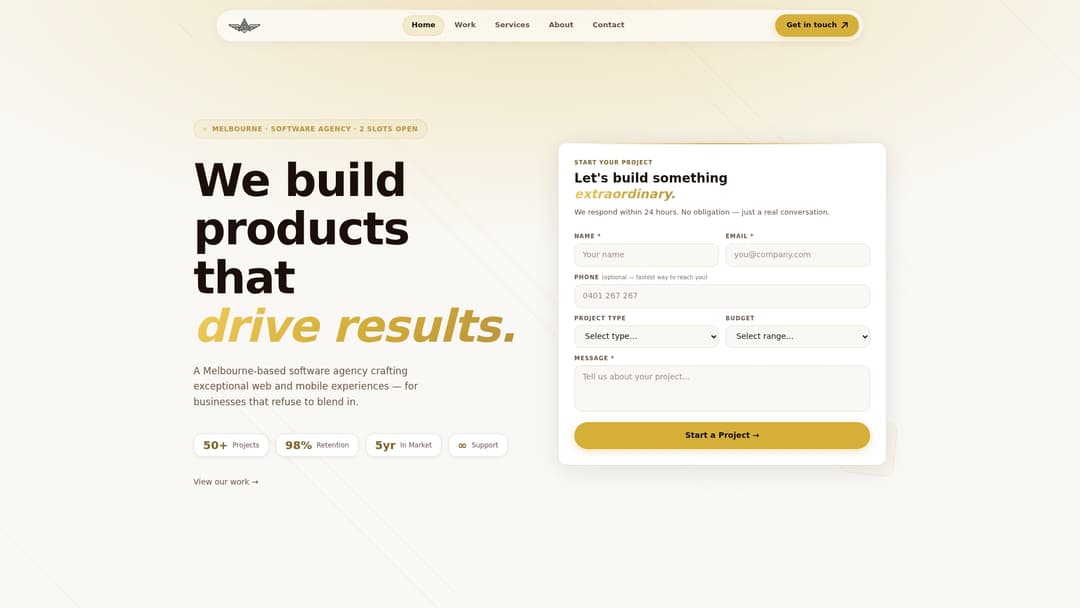
A typical engagement includes the full technical and on-page audit, a prioritised fix list with effort estimates, and a roadmap for implementation if you want Avesta to carry the work through. Before reaching out, have your platform (Shopify, Magento, WooCommerce, or custom), rough catalogue size, and current Search Console access ready. That’s enough for a scoped conversation from day one.
Get in touch through the services page to request a quote, or start with a short discovery call to talk through where your store’s traffic is actually leaking.
Sources
FAQ
Can ChatGPT do an SEO audit?
ChatGPT can help interpret data, draft metadata, or summarise a crawl export, but it can’t crawl your live site, pull real Core Web Vitals data, or verify indexing status in Search Console. Treat it as a drafting assistant alongside proper tools, not a replacement for a crawl and a Search Console review.
Can I do my own SEO audit?
Yes, if you’re comfortable using Search Console, a crawler tool, and Lighthouse, and your catalogue is small enough to review manually within a reasonable timeframe. Larger or more technically complex stores usually get more value from an agency that can spot patterns across thousands of URLs quickly.
What are SEO audits?
An SEO audit is a structured review of a website’s technical health, content, and user experience to find what’s blocking search visibility. For ecommerce specifically, that means checking crawlability, product schema, page speed, and content quality across every product and category page, then ranking the fixes by revenue impact.
How much do SEO audits cost?
One-off ecommerce audits in Australia typically range from AUD 1,500 to AUD 10,000 depending on catalogue size and technical complexity, while ongoing SMB retainers commonly sit between AUD 1,500 and AUD 3,000 a month. Avesta Agency’s pricing for audit and performance work is available directly through its services page.
How do I know if my ecommerce site needs an audit now?
If organic traffic has dropped without explanation, you’ve recently migrated platforms, or you’re heading into a peak trading period without a recent technical check, an audit should happen immediately rather than waiting for the next scheduled review.